
The evolution of AI agents has transformed how businesses manage knowledge, automate workflows and deliver intelligent support. However, one major challenge remains how to effectively connect these AI agents to enterprise data and productivity tools. This is where the Glean Agent Toolkit steps in.
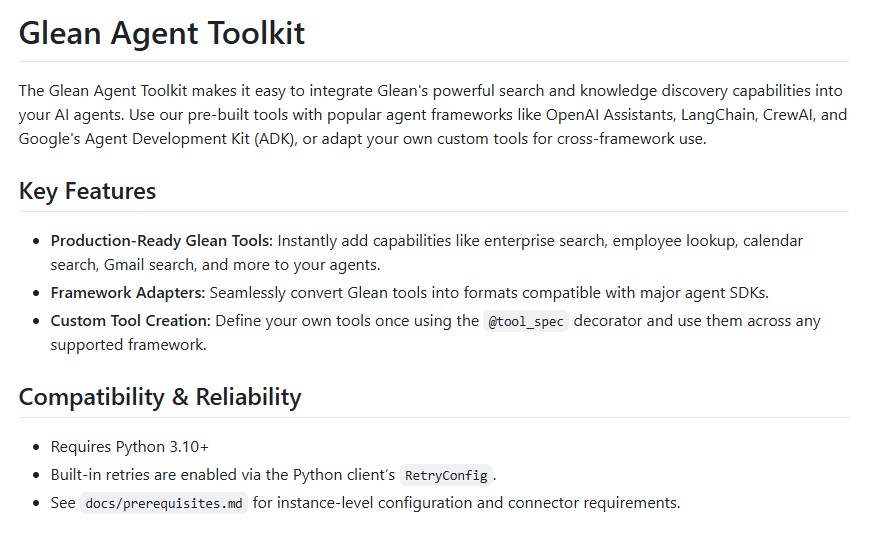
Developed by Glean, a leader in enterprise knowledge discovery, this open-source toolkit provides developers with a powerful and flexible way to integrate Glean’s enterprise search, employee lookup, email search, and calendar tools directly into AI agents. Whether you’re building with OpenAI Assistants, LangChain, CrewAI or Google’s Agent Development Kit (ADK), the Glean Agent Toolkit makes your agents smarter, context-aware and ready for production.
In this blog, we’ll explore the features, framework compatibility, setup process, and real-world use cases of the Glean Agent Toolkit and why it’s a game changer for enterprise AI integration.
What Is Glean Agent Toolkit?
The Glean Agent Toolkit is an open-source Python package designed to bridge the gap between AI frameworks and enterprise knowledge systems. It empowers developers to integrate Glean’s advanced search and knowledge discovery tools into intelligent agents seamlessly.
It’s not just about access to company data – it’s about making that access intelligent. With the toolkit, AI agents can:
- Retrieve precise, permission-aware data from enterprise systems.
- Search across documents, calendars, emails, and employee directories.
- Respond to natural language queries with contextually relevant insights.
This toolkit allows developers to define, customize and deploy cross-framework tools for different agent ecosystems, ensuring scalability and flexibility.
Key Features of Glean Agent Toolkit
- Production-Ready Tools
The toolkit comes pre-loaded with tools for enterprise search, employee lookup, calendar events, Gmail search, Outlook integration and code search. Developers can instantly plug these tools into their AI agents without writing complex integrations. - Framework Compatibility
It supports multiple leading agent development frameworks:- OpenAI Assistants & Agents SDK
- LangChain
- CrewAI
- Google Agent Development Kit (ADK)
This makes the toolkit a truly cross-platform solution.
- Custom Tool Creation
Developers can easily define their own custom tools using the@tool_specdecorator. Once created, these tools can be used across all supported frameworks, ensuring reusability and consistency. - Retry and Reliability Mechanisms
The toolkit includes configurable retry logic with exponential backoff, making it robust against transient failures, rate limits, and connection issues. Environment variables likeGLEAN_RETRY_INITIALandGLEAN_RETRY_MAXallow fine-tuned control. - Ease of Installation
Installation is straightforward via pip:pip install glean-agent-toolkit[all]You can also install framework-specific extras like[openai],[langchain]or[crewai]. - Secure and Compliant
The toolkit requires Glean API credentials and instance configuration to ensure access is secure and compliant with enterprise-grade data governance standards.
Getting Started with Glean Agent Toolkit
Step 1: Installation
Install the base toolkit and any extras for specific frameworks:
pip install glean-agent-toolkit[openai]
pip install glean-agent-toolkit[langchain]
Step 2: Set Up Environment Variables
You’ll need valid Glean API credentials:
export GLEAN_API_TOKEN="your-api-token"
export GLEAN_INSTANCE="your-instance-name"
Step 3: Build Your First Agent
Here’s a simple example of using the toolkit with Google ADK:
from glean.agent_toolkit.tools import calendar_search, employee_search, gmail_search, search
from google.adk.agents import Agent

# Convert Glean tools for ADK
company_search = search.as_adk_tool()
people_finder = employee_search.as_adk_tool()

# Define your agent
agent = Agent(
    name="company_assistant",
    model="gemini-2.0-flash",
    description="Company Assistant that helps employees find information and people.",
    tools=[company_search, people_finder]
)
This AI assistant can now respond to queries like:
- “Find our latest sales reports.”
- “Who’s the project manager for the analytics team?”
- “Show me all meetings with the design team this week.”
Framework-Specific Integrations
1. OpenAI Agents SDK
Developers using OpenAI’s ecosystem can integrate Glean tools for natural language queries and contextual responses.
Example:
from agents import Agent, Runner
from glean.agent_toolkit.tools import search

agent = Agent(
    name="KnowledgeAssistant",
    instructions="You help users find company information using Glean search.",
    tools=[search],
)
result = Runner.run_sync(agent, "Find Q4 planning documents")
print(result.final_output)
2. LangChain
LangChain users can integrate Glean’s search capabilities into multi-tool agents, improving knowledge retrieval across conversations.
from glean.agent_toolkit.tools import search
langchain_tool = search.as_langchain_tool()
3. CrewAI
CrewAI enables multi-agent collaboration. With Glean integration a “Corporate Researcher” agent can access enterprise data effortlessly.
Real-World Use Cases
- Enterprise Knowledge Search
Employees can query company policies, technical documentation or HR guidelines instantly. - Employee Directory Lookup
Theemployee_searchtool helps AI agents find staff information like departments, roles or expertise areas. - Email & Calendar Integration
Agents can search Gmail or Outlook for specific messages, meetings, or scheduling conflicts. - Code Search
Developers can use Glean’s code search tool to locate code snippets, functions or configurations across repositories. - Web Research with Context
Combine internal and public data sources with theweb_searchtool to answer market research or trend analysis questions.
Creating Custom Tools with @tool_spec
The toolkit allows developers to extend functionality by defining custom tools:
from glean.agent_toolkit import tool_spec
from pydantic import BaseModel

class WeatherResponse(BaseModel):
    temperature: float
    condition: str

@tool_spec(name="get_weather", description="Fetch weather for a city", output_model=WeatherResponse)
def get_weather(city: str):
    return WeatherResponse(temperature=22.5, condition="Sunny")
This function can be converted into tools compatible with OpenAI, LangChain or CrewAI in one line.
Why Glean Agent Toolkit Matters ?
In modern enterprises, information is scattered across multiple systems – emails, calendars, codebases and knowledge repositories. Traditional AI agents lack direct access to these data silos. The Glean Agent Toolkit bridges that gap by enabling contextual, permission-aware and secure information retrieval.
By integrating Glean tools, organizations can:
- Enhance employee productivity with intelligent assistants.
- Streamline data access without compromising privacy.
- Accelerate decision-making using real-time insights.
- Build unified AI ecosystems across frameworks.
Conclusion
The Glean Agent Toolkit redefines how AI agents interact with enterprise information. It combines the robustness of Glean’s search technology with the flexibility of popular agent frameworks, allowing developers to build intelligent assistants that truly understand organizational knowledge.
Whether you’re using OpenAI, LangChain, CrewAI or Google ADK, this toolkit empowers your agents to deliver richer, context-driven responses transforming raw data into actionable insights.
In an era where knowledge accessibility defines success, the Glean Agent Toolkit stands as a vital bridge between AI intelligence and enterprise data ecosystems.
Follow us for cutting-edge updates in AI & explore the world of LLMs, deep learning, NLP and AI agents with us.
Related Reads
- Mastering Large Language Models: Top #1 Complete Guide to Maxime Labonne’s LLM Course
- Master Machine Learning with Stanford’s CS229 Cheatsheets: The Ultimate Learning Resource
- The Art of Scaling Reinforcement Learning Compute for LLMs: Top Insights from Meta, UT Austin and Harvard University
- DeepSeek-OCR: Redefining Document Understanding Through Optical Context Compression
- Wan 2.1: Alibaba’s Open-Source Revolution in Video Generation
2 thoughts on “Enhancing AI Agent Capabilities with Glean Agent Toolkit: A Complete Guide for Developers”